-2.png)
Manual entry- Business travel - Flights
Zeropath lets you record business flights by departure and arrival airport, cabin class and date. Emissions are calculated automatically based on the flight distance and class.
Getting started
Go to Manual entry then Business travel then Flights.
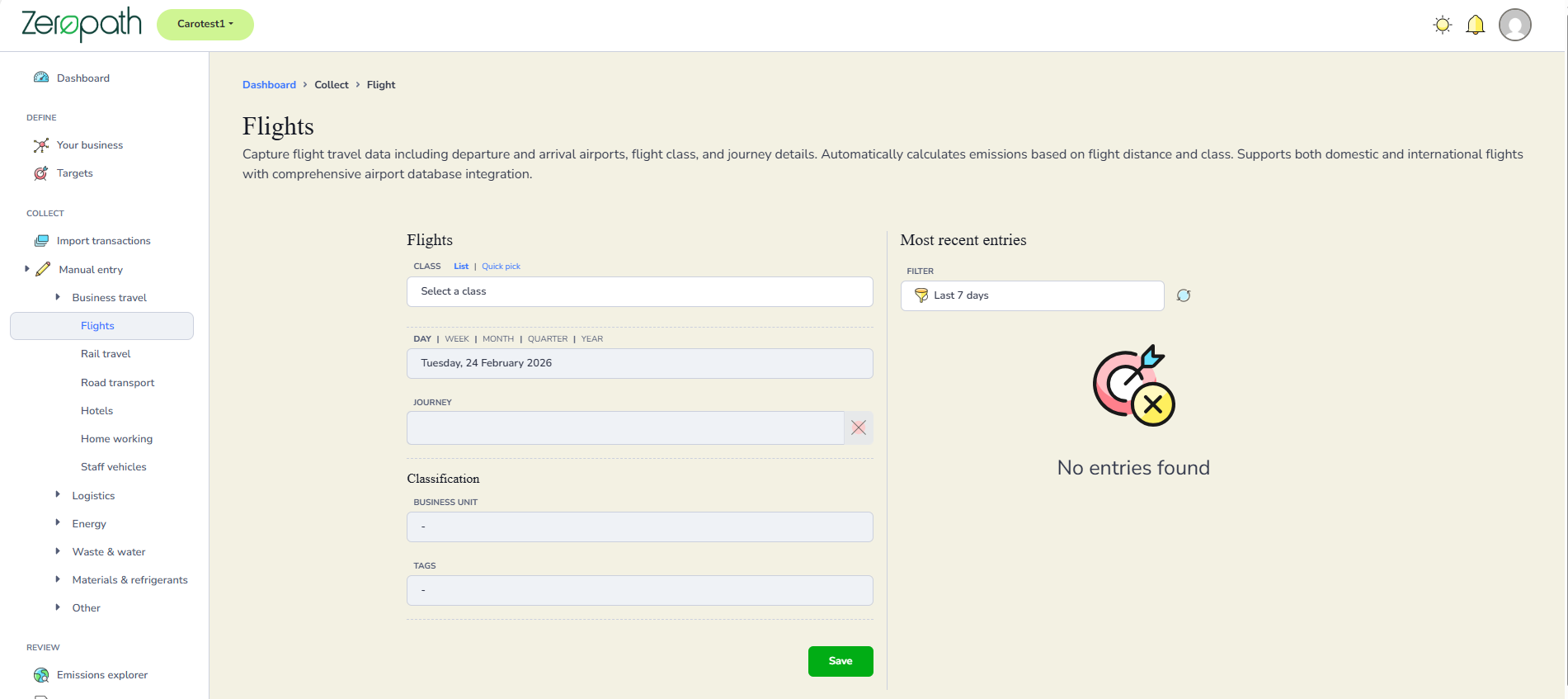
Selecting a cabin class
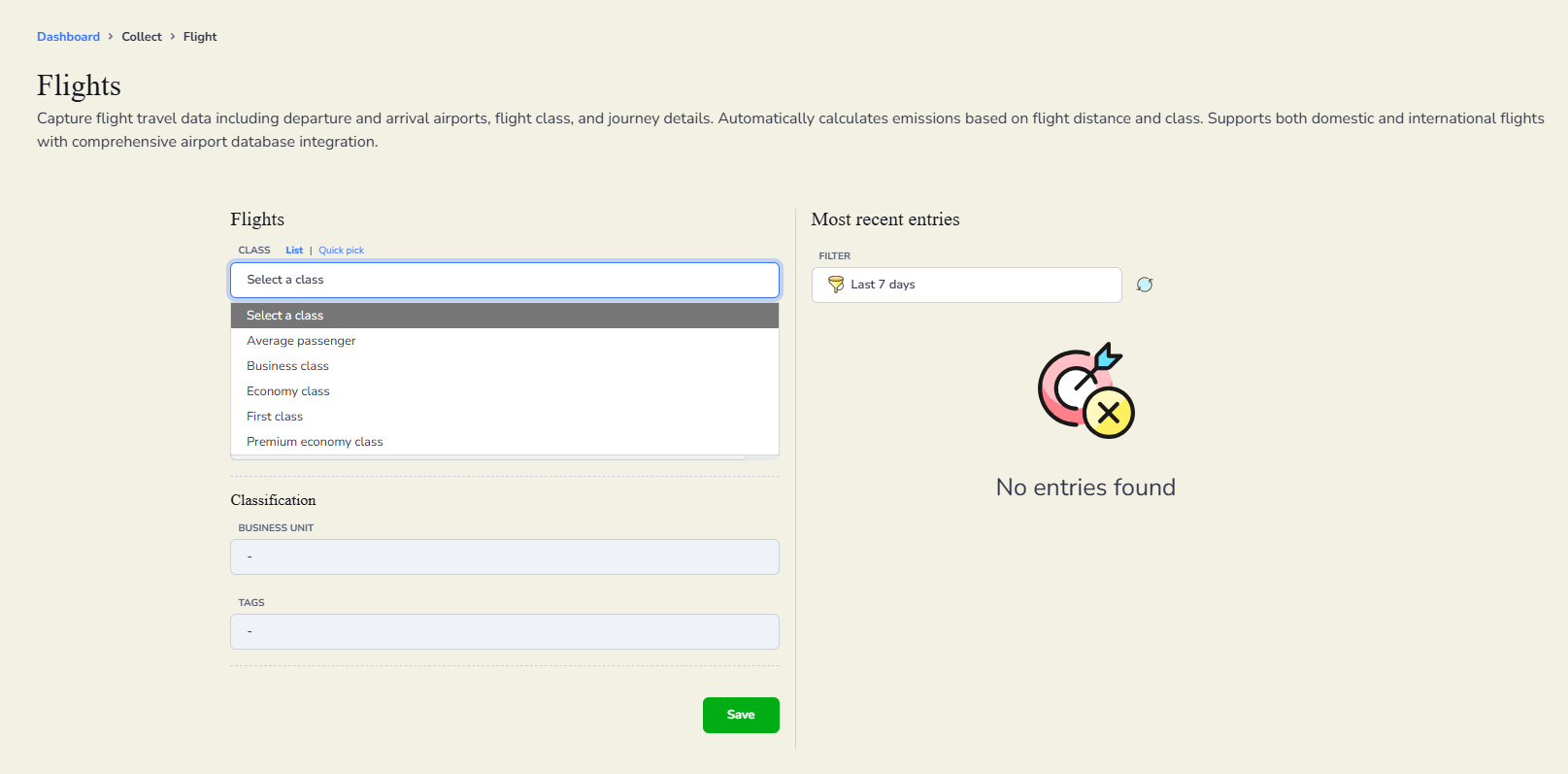
Select the cabin class from the Class field. The options are Average passenger, Business class, Economy class, First class and Premium economy class.
If you are entering historical data or are unsure which class was used, select Average passenger.
You can select your class in two ways. Use the List tab to choose from the dropdown, or use the Quick pick tab to select a class directly from a set of buttons.
Entering the date and journey
Select the time frame: day, week, month, quarter or year, then enter the date of the flight.
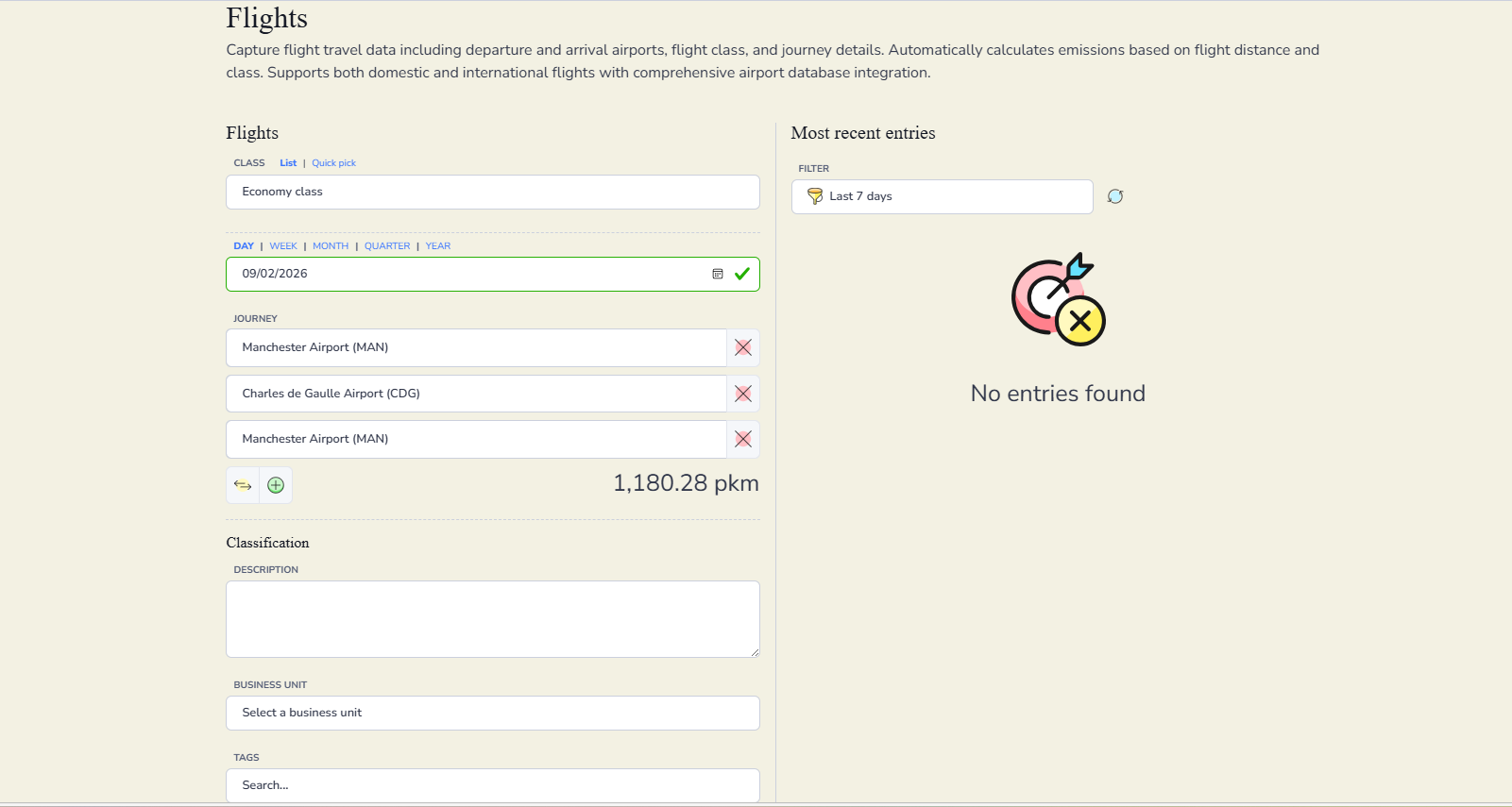
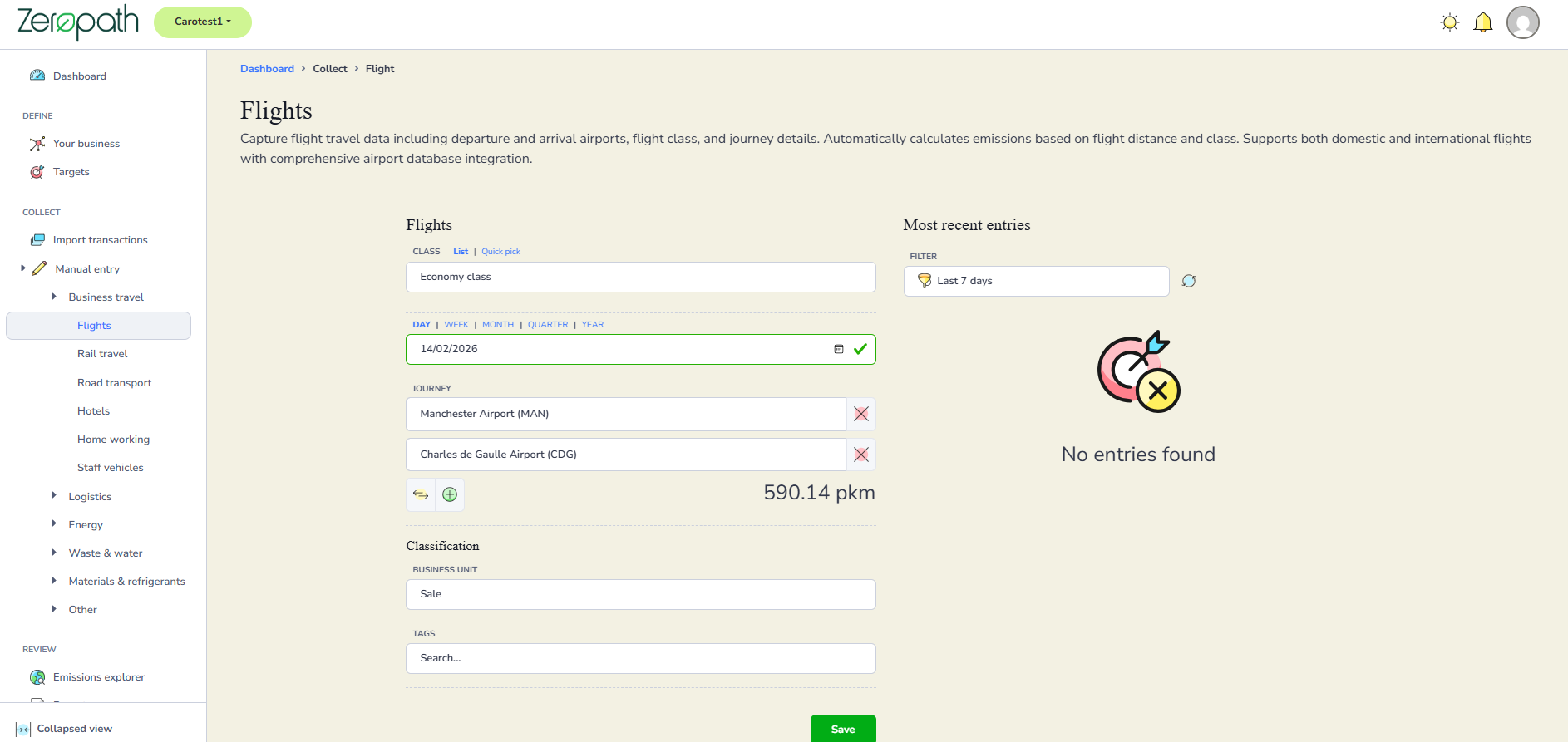
Click in the first Journey field. A Select an airport window will open. Type the name of the city, airport or three letter airport code to search for your departure airport, then click on the correct airport to add it.


Click in the second Journey field and repeat the process to add your arrival airport. As you add airports, Zeropath will calculate the distance in pkm automatically.
Adding stops and managing the journey
To add a return leg or an additional stop, click the green plus button below the journey fields. A new field will appear for you to add the next airport.
To swap the departure and arrival airports, click the two arrows button next to the green plus.
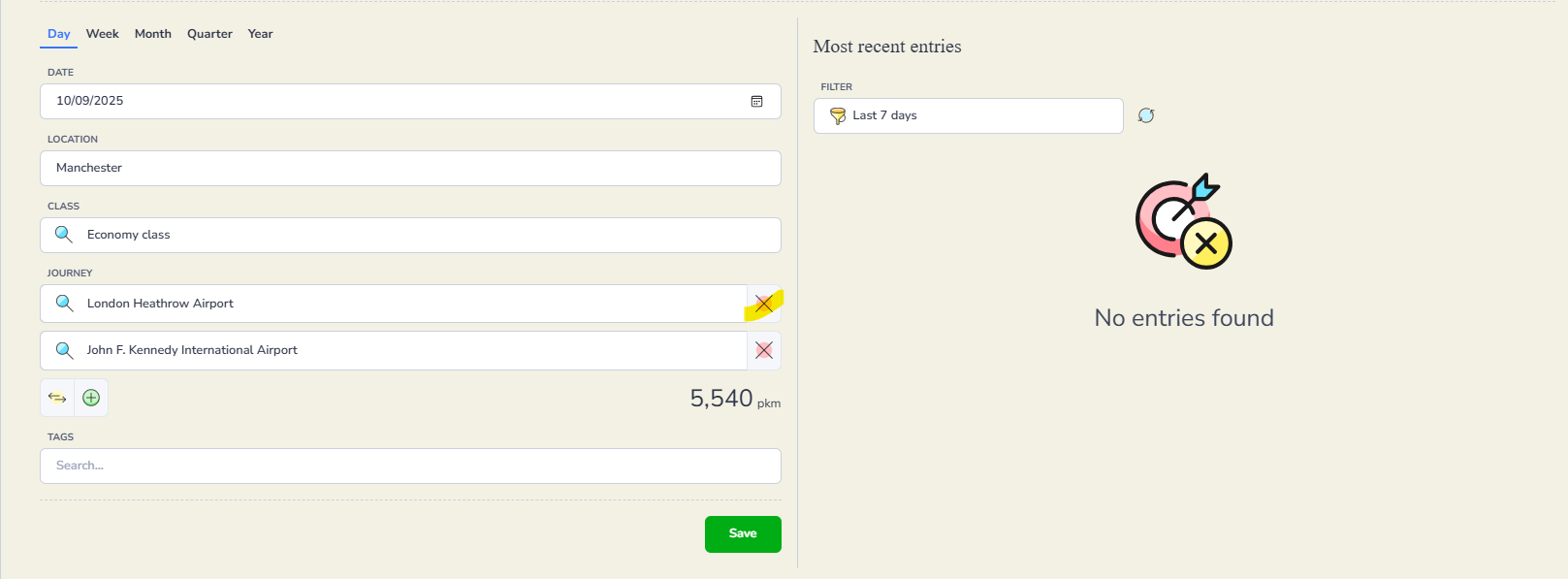
If you need to remove an airport, click the red X on the right of that field.
Classification
Add a description under Classification if you want to note anything about the entry. Assign a business unit if relevant, and add any tags needed for reporting purposes.
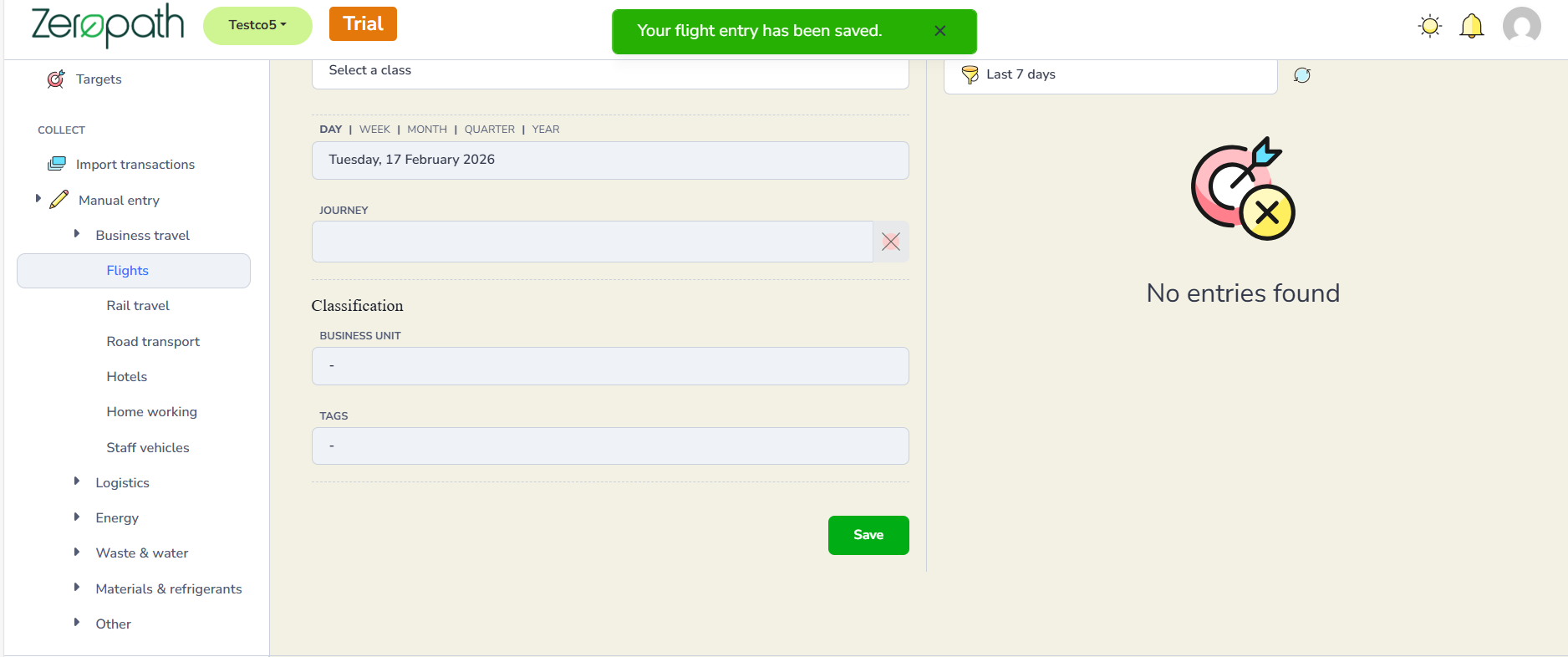
Click Save. A confirmation banner will appear at the top of the screen confirming your flight entry has been saved.
Checking your entries
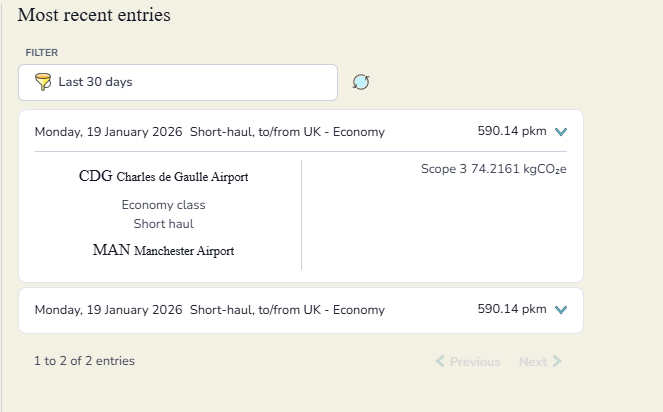
Your saved entries appear in the Most recent entries panel on the right. Use the Filter to select a time frame and see entries within that period. You can filter by the last 7 days, 14 days, 30 days, 3 months, 6 months or up to a year.
Click the dropdown arrow next to any entry to expand it and view the full details including the airports, cabin class, haul type and carbon emissions.