-2.png)
Manual entry - Logistics - Freighted goods
Zeropath lets you record the movement of goods by road, rail, flight or shipping so that logistics emissions are included in your carbon footprint. This covers upstream and downstream freight movement, typically handled by third party haulage companies.
If you want to record emissions for company owned vehicles such as cars or vans, use the Company vehicles option instead.
Selecting a category
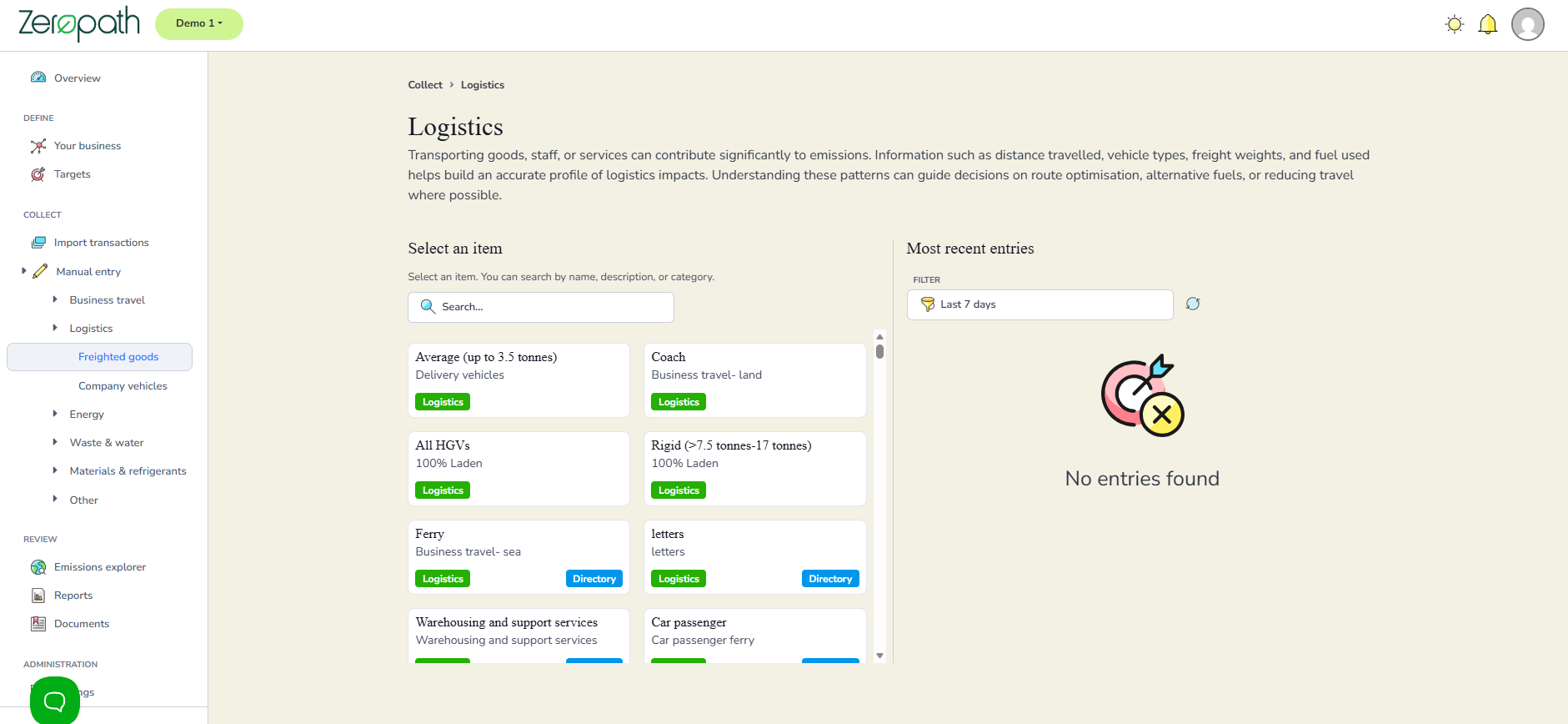
Go to Manual entry then Logistics then Freighted goods.
You will see a selection screen showing all available freight categories set up by Zeropath and any additional ones created for your organisation. Categories include options such as delivery vehicles, HGVs, ferry, coach and warehousing and support services. You can scroll through the list or use the Search box to find the category you need by typing part or all of the description.
Click on the category you want to record data for.
Entering the details
Once you have selected a category, the entry form will open. If you need to change the category, click the Change link at the top of the form to go back to the selection screen.
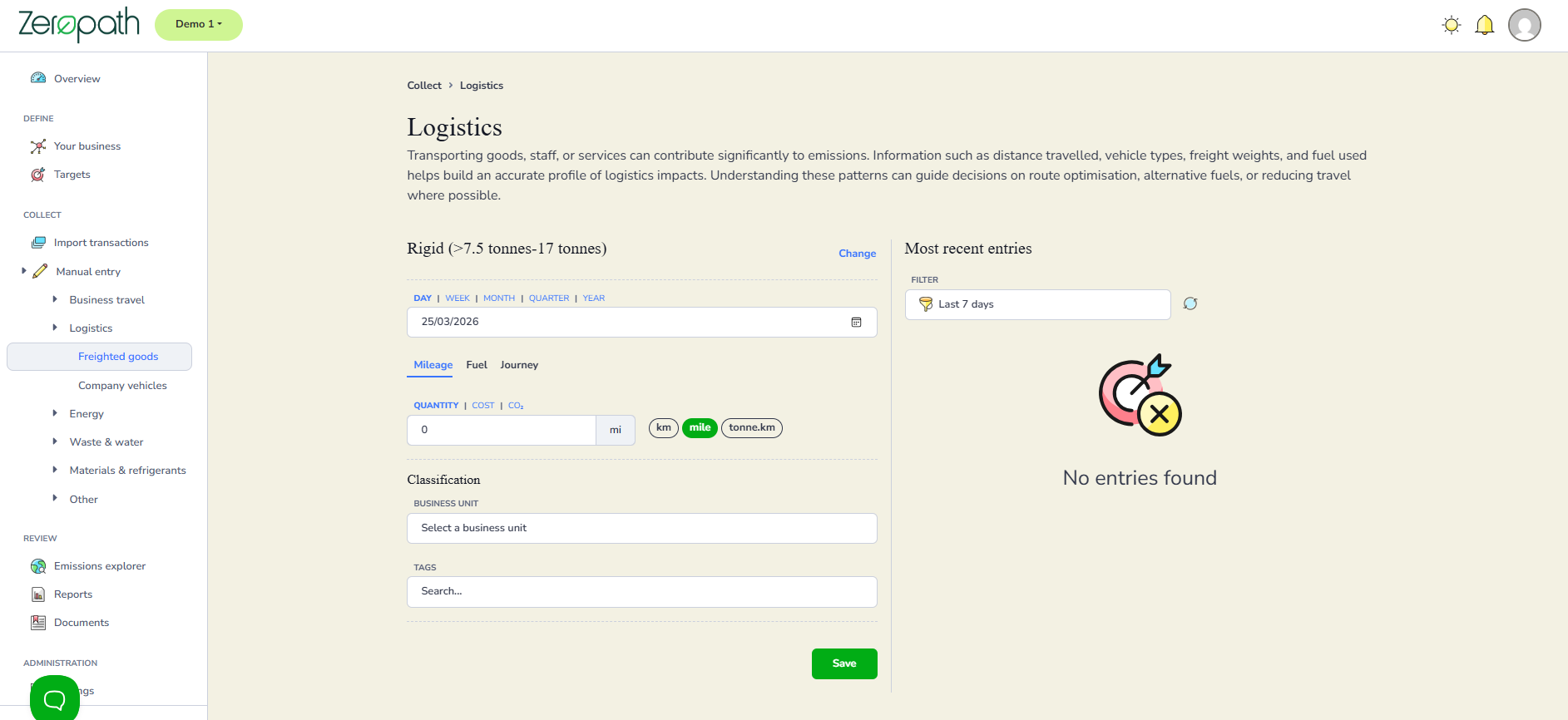
Select the time frame: day, week, month, quarter or year, then enter the date.
Choose how you want to enter the data by selecting one of the three tabs.
Mileage lets you enter a distance. Select the unit: km, miles or tonne.km.
Fuel lets you enter a fuel quantity.
Journey lets you enter journey details directly.
Enter the quantity, assign a business unit if relevant, and add any tags needed for reporting purposes.
Click Save.
Checking your entries
Your saved entries appear in the Most recent entries panel on the right. Use the Filter to select a time frame and see entries within that period. You can filter by the last 7 days, 14 days, 30 days, 3 months, 6 months or up to a year.
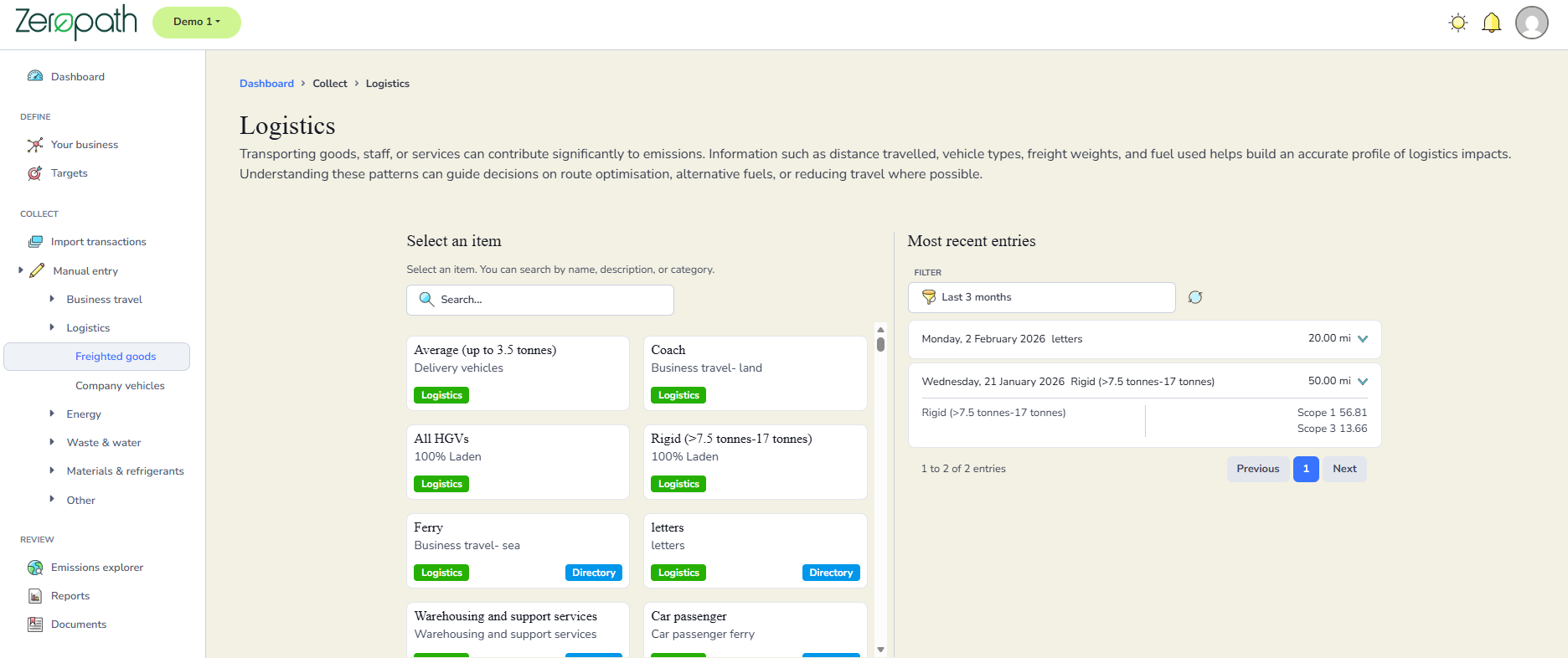
Click the dropdown arrow next to any entry to expand it and view the full details including the carbon emissions associated with that entry.