-2.png)
Review - Emissions explorer
Emissions explorer gives you a complete view of all your carbon entries and their associated emissions. You can review your data by year and category, see your Scope 1, Scope 2 and Scope 3 totals, and track intensity metrics based on your headcount and turnover.
Go to Emissions explorer in the side menu under Review.

Viewing your emissions by year
At the top of the screen you will see a row of years. Click on any year to see the totals and entries for that period. Years marked as Baseline show the year your reporting is based upon. The current year is marked as Current year.
You can search for specific entries using the Search box.
Viewing emissions by category
Each category is shown as a row with the total emissions for that year. Click the plus icon on the right to expand a category and see the individual entry types within it, along with their item counts and emissions by scope.
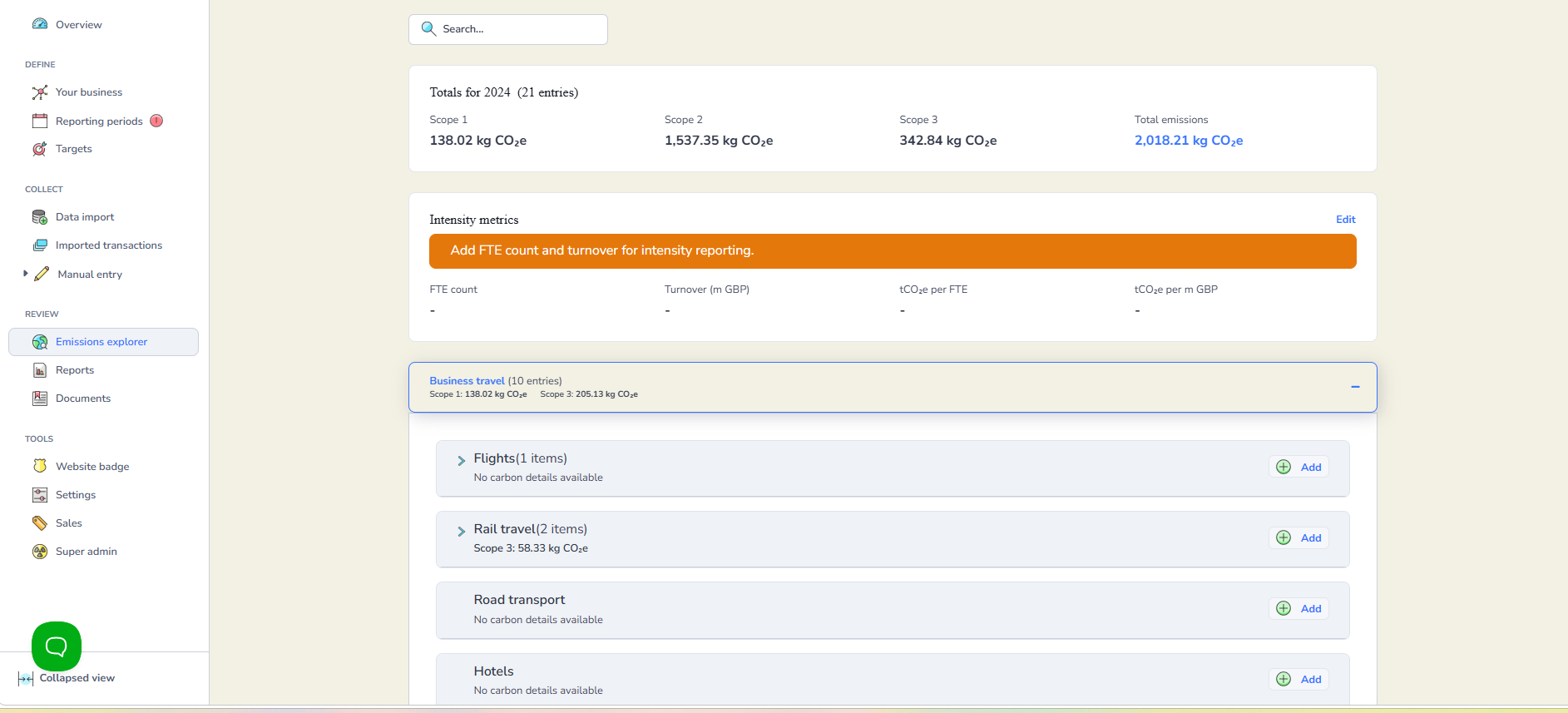
Click the arrow on the left of any entry type to open a View panel showing the most recent entries for that type. Click the dropdown arrow next to any entry to expand it and see the full details including the carbon emissions.

Intensity metrics
The Intensity metrics section shows your emissions per full time equivalent (FTE) staff member and per million GBP of turnover. These figures help you understand the efficiency of your organisation relative to its size and revenue.
If the Intensity metrics section is not showing complete figures, it may be because FTE count or turnover has not been set for one or more reporting years. You will see a warning at the top of the screen if this is the case.
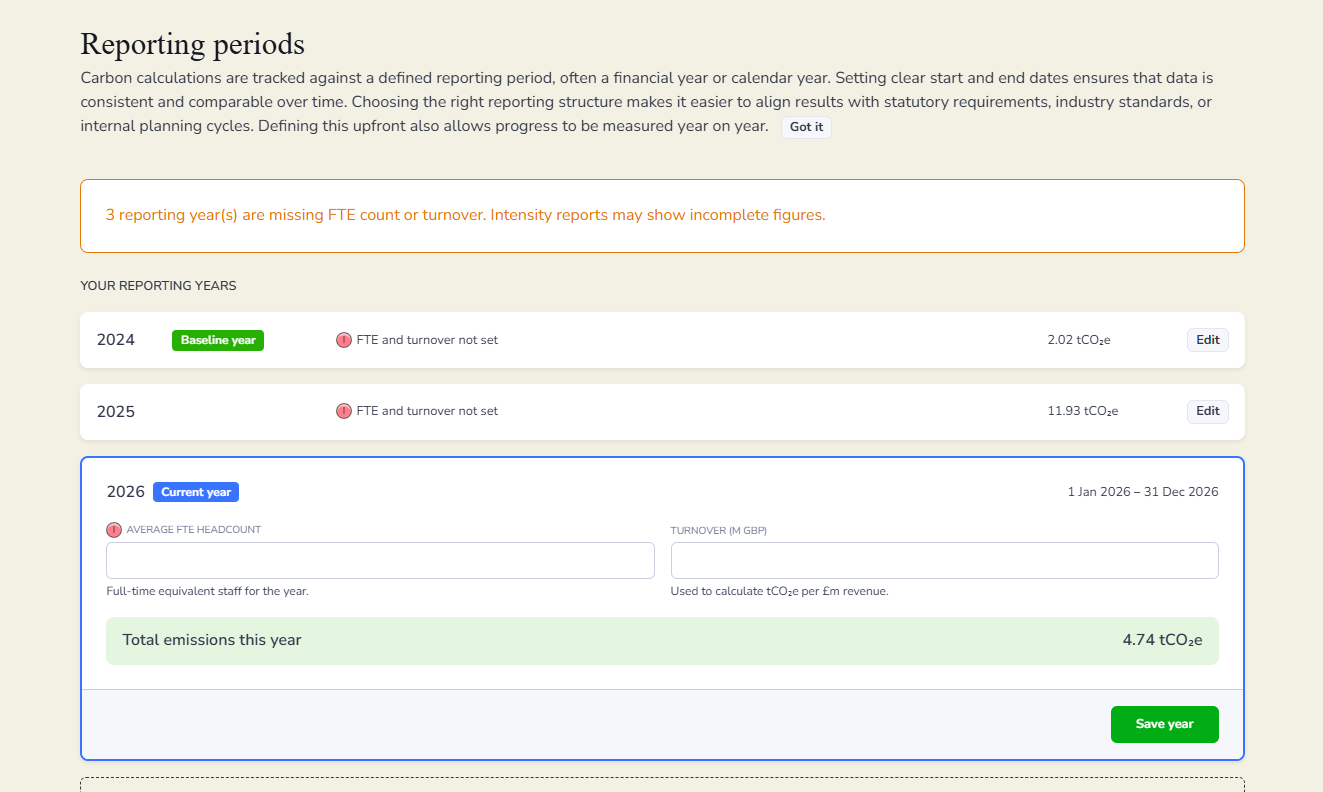
To fix this, click Edit next Intensity metrics. This will take you to Reporting periods where you can enter the Average FTE headcount and Turnover for that year. Click Save year when you are done. Once all years have FTE and turnover set, the Intensity metrics section will show complete figures.
Adding data from Emissions explorer
You can add new entries directly from Emissions explorer without going to Manual entry. Select the year you want to add data for, expand the relevant category and click the green Add button next to the entry type you want to record data under. This will take you to the same entry form as Manual entry.
