-2.png)
Manual Entry - Materials & refrigerants
The Materials and refrigerants category covers Scope 3 emissions related to goods and raw materials procured, sold or manufactured by your business, as well as refrigerant use. Both follow the same entry process but have different unit options.
Materials
Many Scope 3 entries relate to material items. Recording these helps build an accurate picture of your supply chain emissions. Categories can be selected from those already set up by Zeropath or created specifically for your organisation.
Adding a materials entry
Go to Manual entry then Materials and refrigerants then Materials.
Select the category you want to record data for. You can scroll through the list or use the Search box to find the category you need by typing part or all of the description. Click on the category to open the entry form.
If you need to change the category, click the Change link at the top of the form to go back to the selection screen.
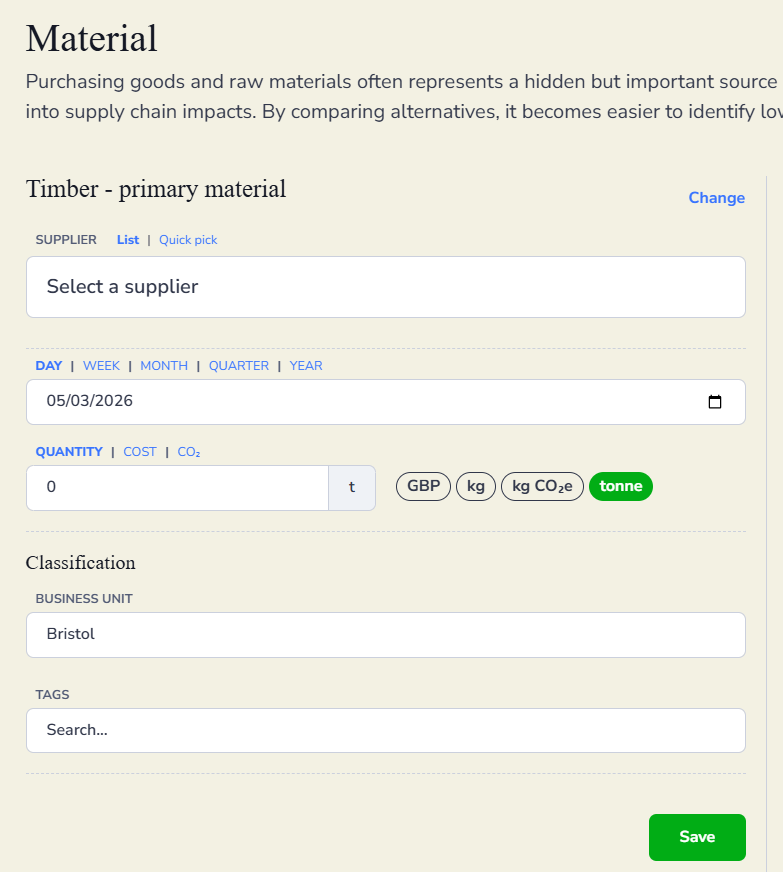
Select a supplier if one applies. Select the time frame: day, week, month, quarter or year, then enter the date.
Enter the quantity and select the appropriate unit. The available units for materials are GBP, kg, kg CO2e and tonne. You can also switch to the Cost or CO2 tabs if you prefer to enter the data a different way.
Add a description under Classification if you want to note anything about the entry. Assign a business unit if relevant, and add any tags needed for reporting purposes.
Click Save.
Refrigerants
Refrigerants are a less commonly used category but can be a significant source of emissions for some businesses. As with materials, refrigerant types can be selected from those already set up by Zeropath or created specifically for your organisation.
Adding a refrigerants entry
Go to Manual entry then Materials and refrigerants then Refrigerants.
Select the category you want to record data for and click on it to open the entry form. If you need to change the category, click the Change link at the top of the form.
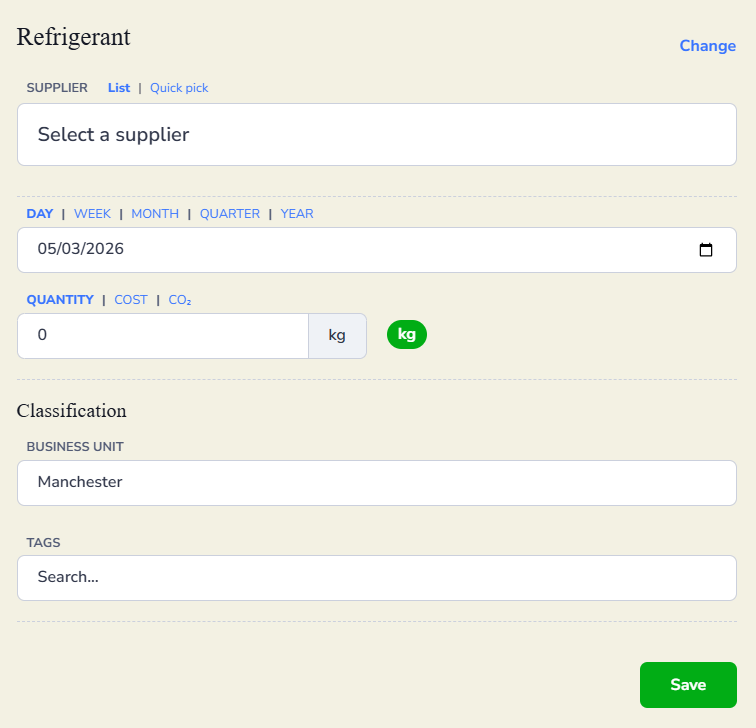
Select a supplier if one applies. Select the time frame: day, week, month, quarter or year, then enter the date.
Enter the quantity. Refrigerants are recorded in kg. You can also switch to the Cost or CO2 tabs if you prefer to enter the data a different way.
Add a description under Classification if you want to note anything about the entry. Assign a business unit if relevant, and add any tags needed for reporting purposes.
Click Save.