-2.png)
Edit exisiting transactions
Once you have saved a transaction you can return to it at any time to review and make changes. All edits are recorded in a change history so there is a clear audit trail of what was updated and why.
Finding the transaction
Go to Emissions explorer in the side menu.
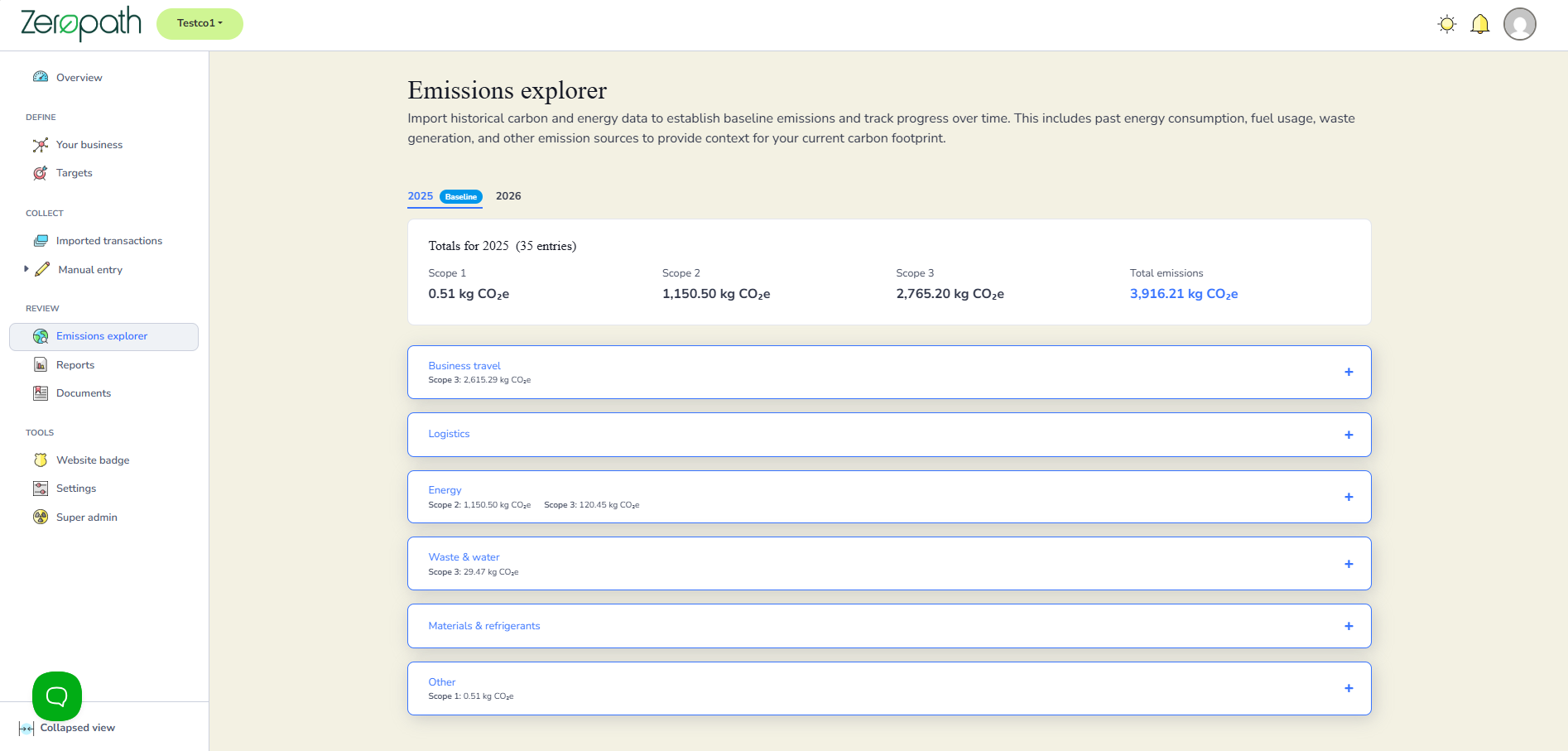
Select the reporting year for the transaction you want to edit, then click on the relevant category to expand it.
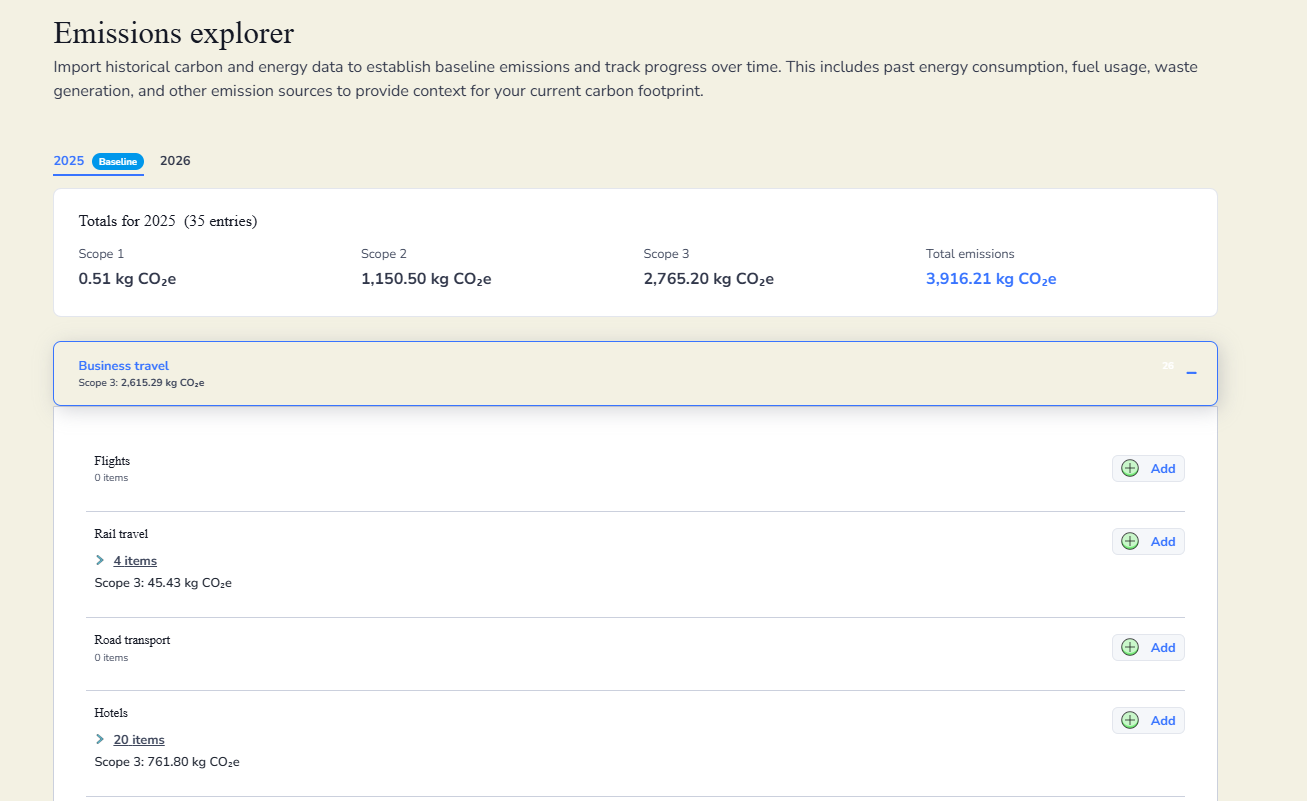
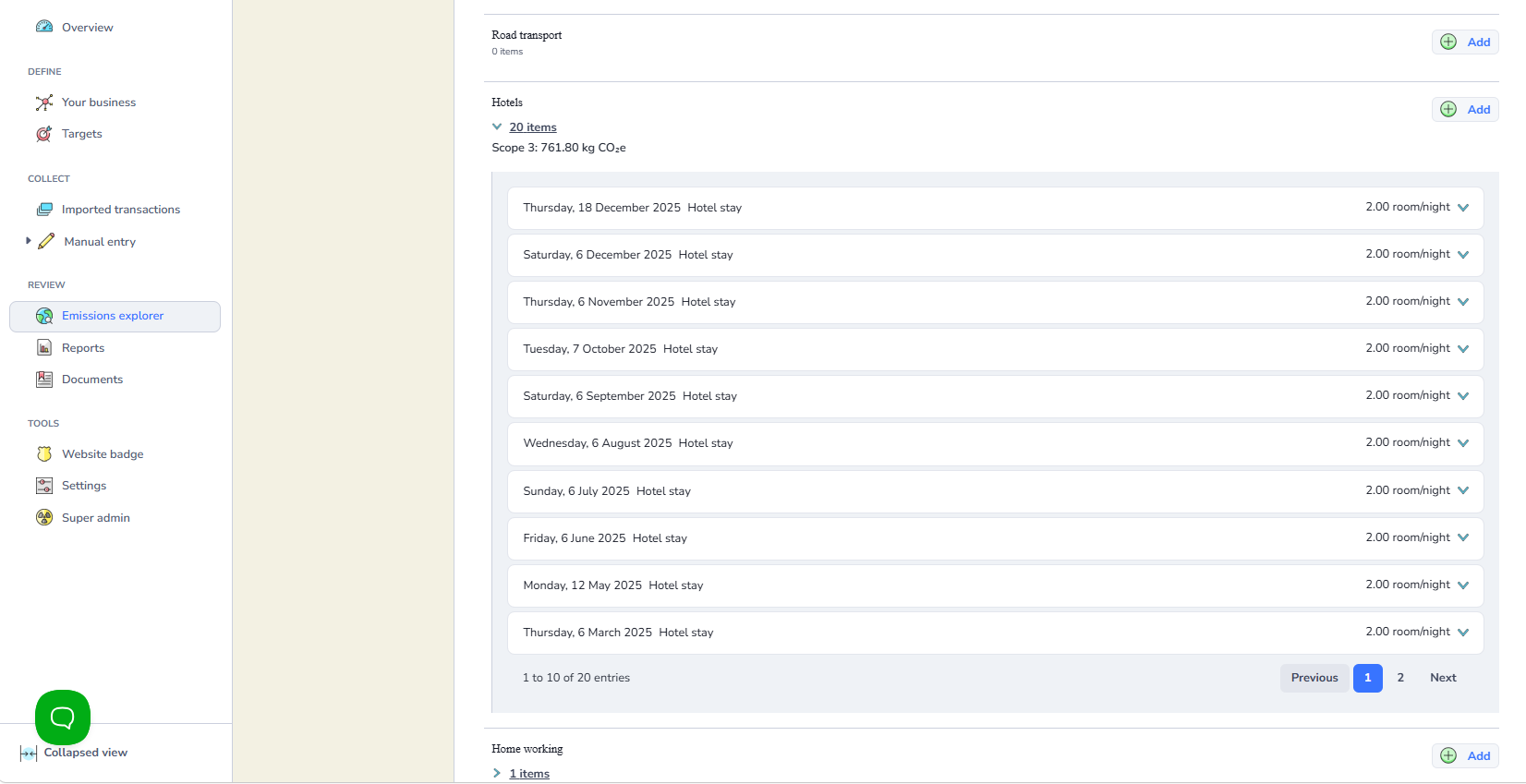
Click the downward arrow on the right of the entry you want to edit to open it.
Making the edit
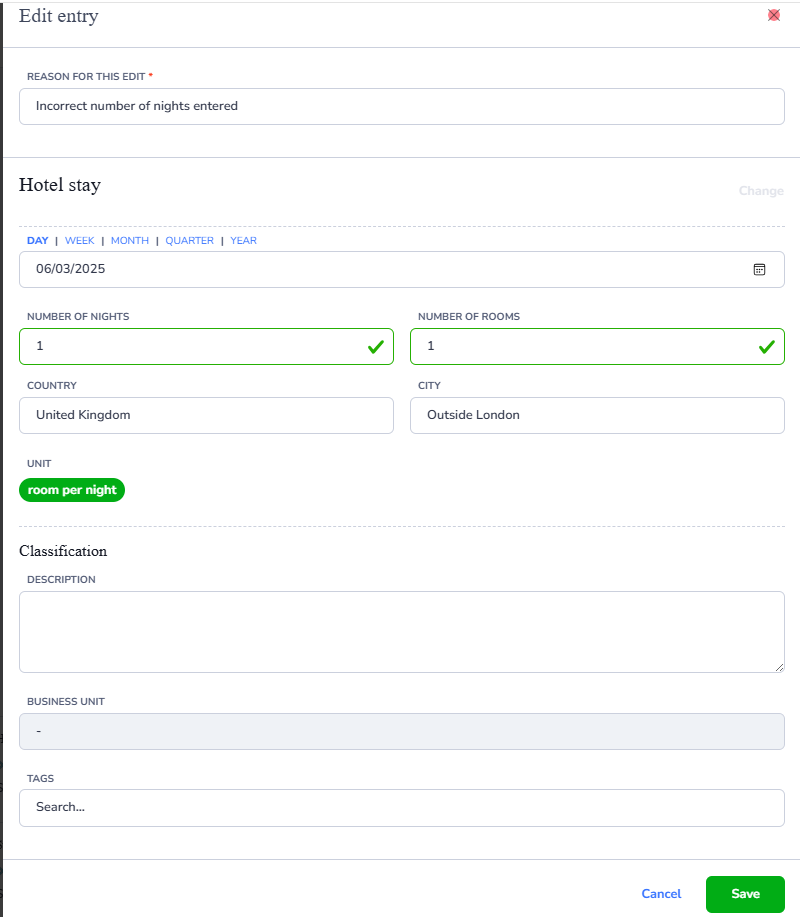
Click Edit on the entry. The Edit entry screen will open.
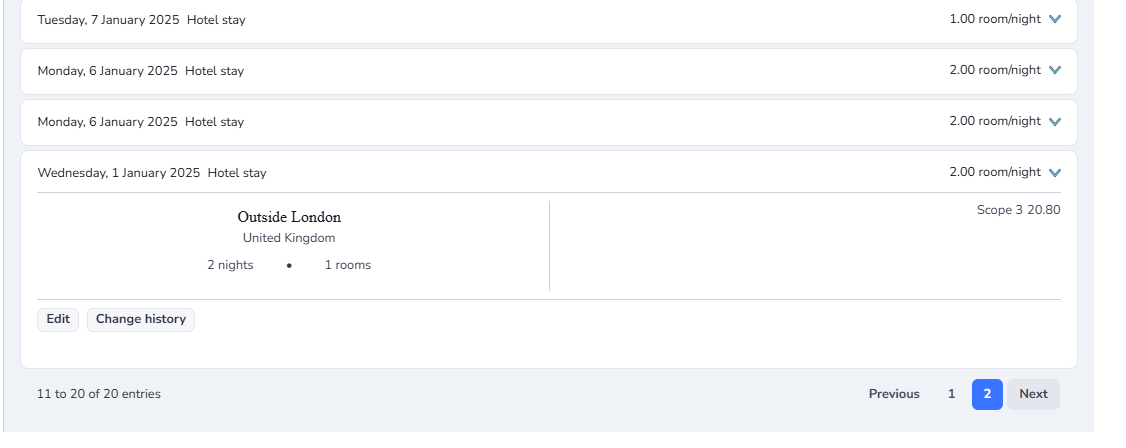
Enter a reason for the edit in the Reason for this edit field. This is required and will be saved in the change history. Then update the relevant fields and click Save.
Viewing change history
After saving, you can open the entry again to view a record of all changes made to it.
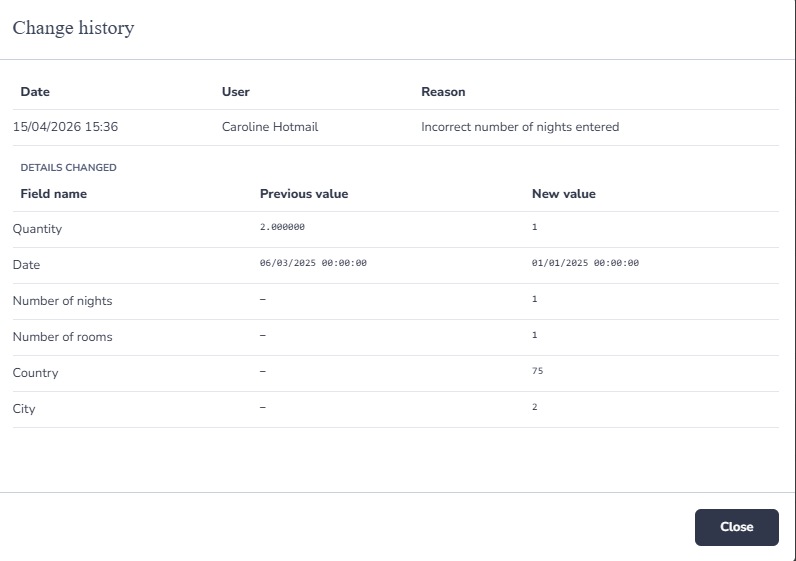
The change history shows the date and time of each edit, the user who made it, the reason they gave, and the previous and new values for every field that was changed.